Billz — Personal Expense Tracker
About the Project
Billz is a personal expense-tracking app I designed and built for Android. The name comes from a simple idea: keep your bills in check. It gives you a clear view of what you're spending, what's left in your budget, and whether your overall financial health is on track — without demanding more effort than the act of spending itself.
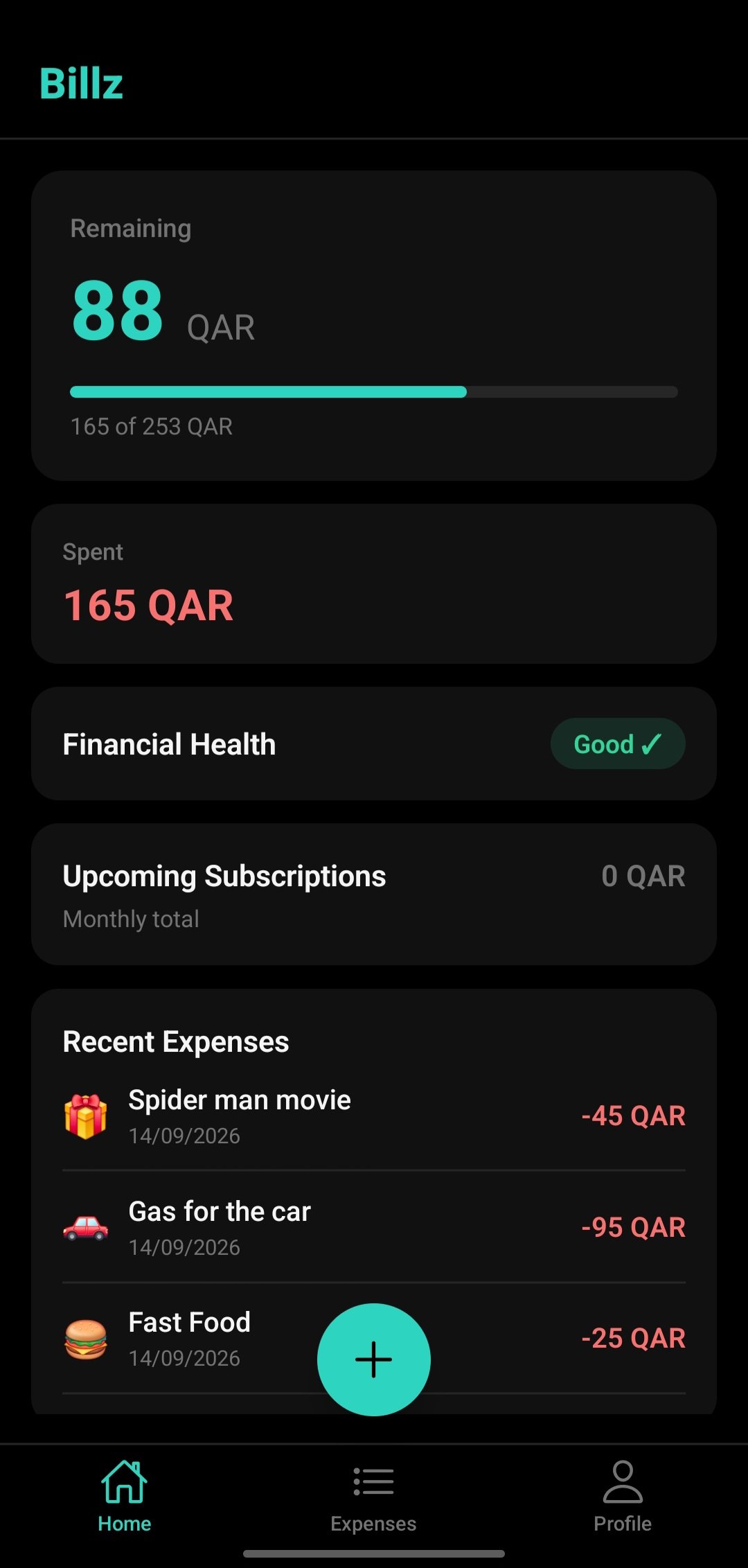
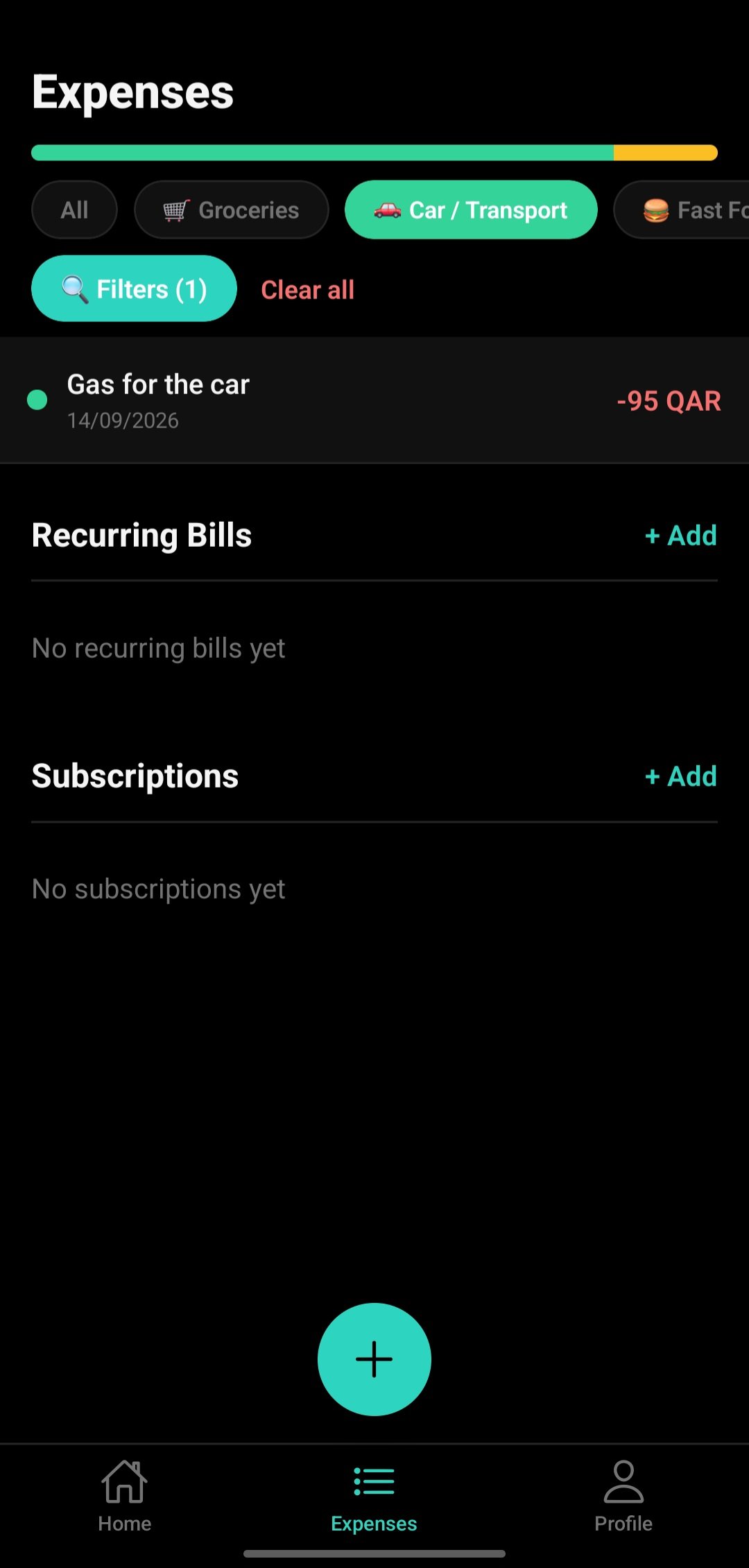
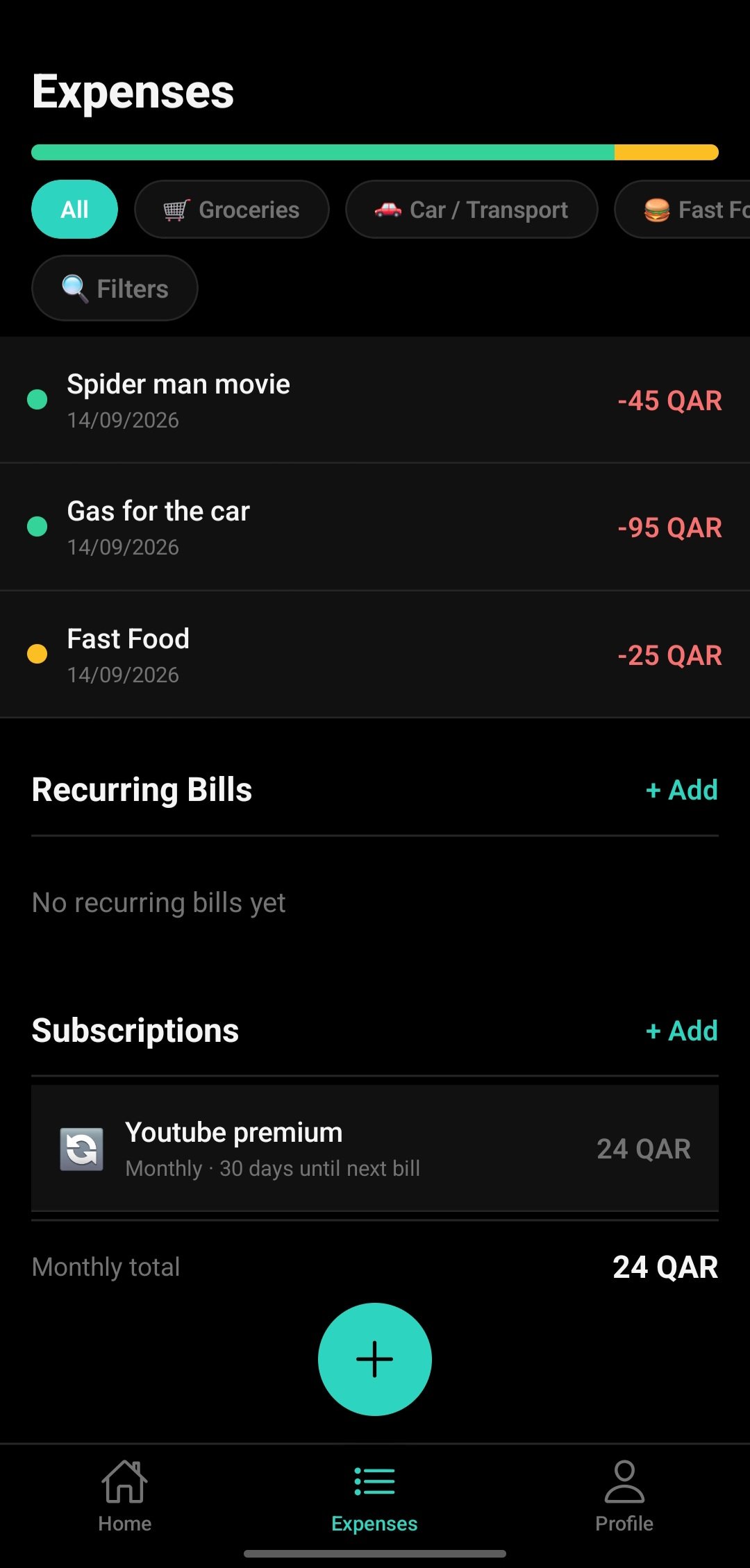
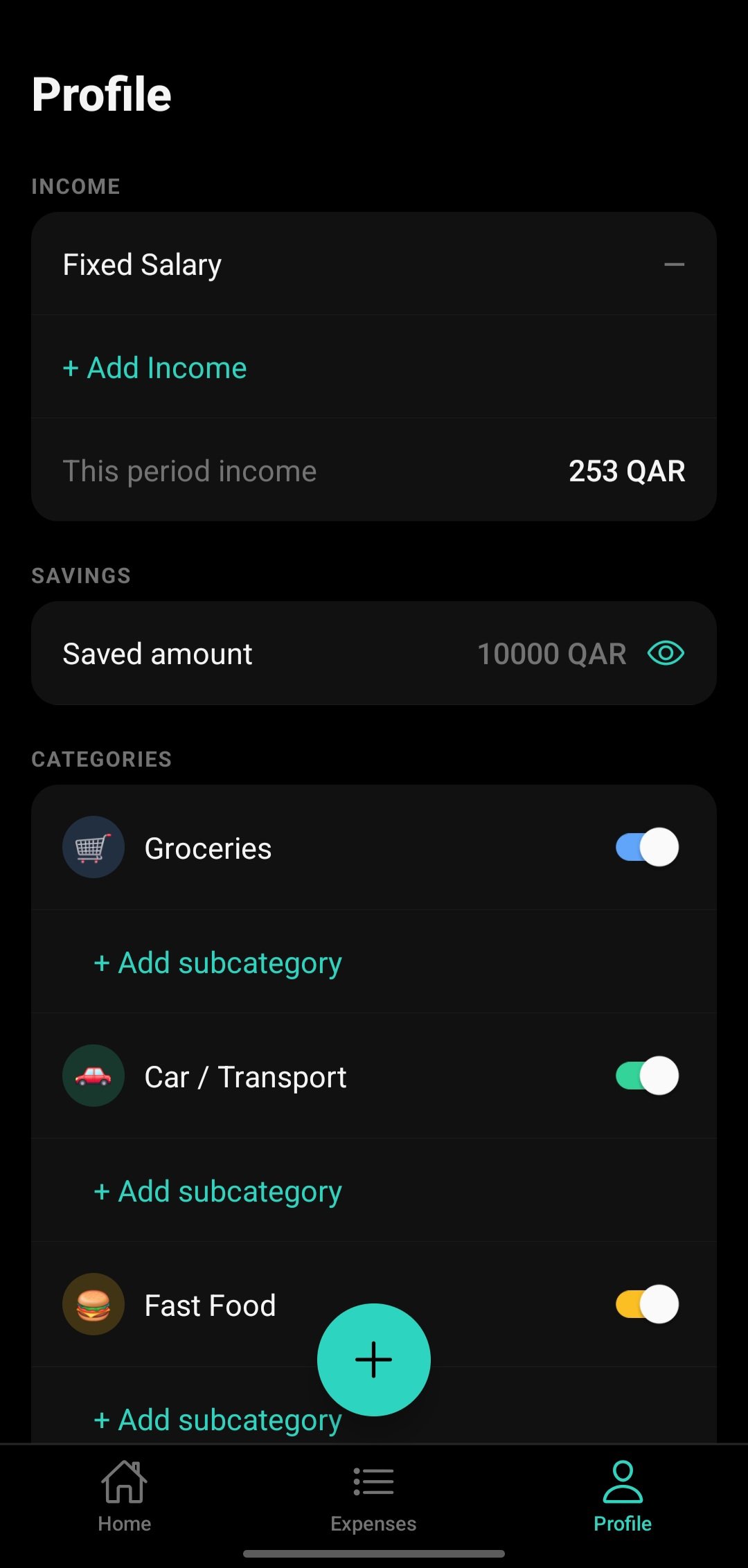
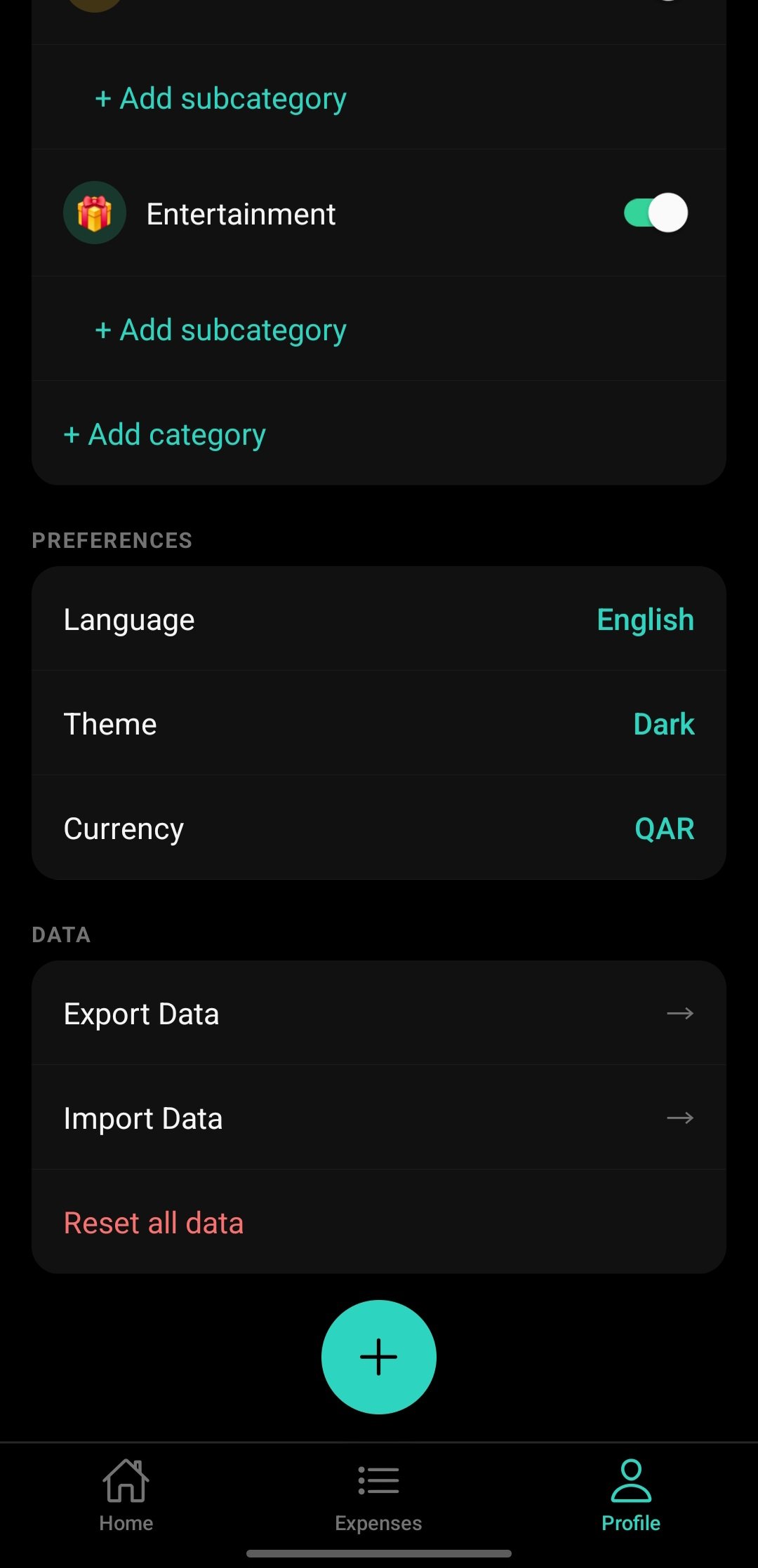
The app has three focused screens: a Home dashboard that shows your remaining budget, how much you've spent, and your latest transactions; an Expenses screen where you can filter by category, see recurring bills, and track subscriptions; and a Profile screen for income, savings, category management, and preferences.
Billz supports both Arabic and English with full RTL layout switching, and lets users choose their theme (dark/light) and currency. The Android APK is available to download and install now.
My Role & Contribution
Billz is a solo project — I made every decision from the app structure to the visual design to the data model. Building something you'd actually use yourself is a different kind of pressure: the feature set has to be minimal enough to finish, and honest enough to be useful.
01App architecture & navigation
Designed the three-tab navigation structure with Expo Router, keeping each screen self-contained and the codebase flat.
02UI design & dark theme
Created the visual system — teal accent on black, card-based layout, emoji categories — and made it switchable between dark and light.
03Expense data model
Built the local-first data layer: expenses, income, savings, categories, subscriptions and recurring bills — all stored on-device so the app works with no internet.
04Bilingual support (AR / EN)
Wired up Arabic/English language switching with automatic RTL layout flip — no separate Arabic components, just logical CSS properties throughout.
App Features
- Budget overview — see remaining budget, amount spent, and progress bar at a glance.
- Financial health badge — a single "Good / Watch out" indicator so you always know where you stand.
- Expense entry — add expenses with emoji categories (Groceries, Car, Fast Food, Entertainment…).
- Category filters — tap a chip to view only expenses in that category instantly.
- Recurring bills — log fixed monthly costs so they're never forgotten.
- Subscriptions — track services (YouTube, Netflix…) with days-until-next-bill countdown.
- Income & savings setup — enter your income type and log a savings amount in Profile.
- Bilingual UI (AR / EN) — full RTL layout flip when switching to Arabic.
- Dark / light theme — switch anytime from Profile → Preferences.
- Data export / import — back up and restore your data without cloud dependency.
Try the App — Download
The Android build is ready to install now. iOS and store listings are on the way.
More platforms coming soon
Store listings and an iOS build are in progress.
Google Play Store
Android · Free
Apple App Store
iOS · Free
How It Was Built — Technical Details
1 · Expo Router — three-tab navigation
The bottom tab bar (Home / Expenses / Profile) is driven by Expo Router's file-based layout.
Each tab is its own directory under app/(tabs)/, keeping screen logic
isolated and the navigation stack declarative.
2 · Local-first storage with AsyncStorage
All data — expenses, income, savings, categories, subscriptions — lives in AsyncStorage. The app is fully functional with no internet connection. Data export/import lets users back up to a file without needing a backend.
3 · Dynamic theme system
A useColorScheme hook reads the persisted preference and exposes a
design-token object to every component. Switching theme in Profile → Preferences
updates the context and the entire app repaints instantly with no reload.
4 · Bilingual RTL support
Switching to Arabic triggers React Native's built-in RTL engine. All layout uses logical
properties (marginStart, paddingEnd, alignSelf)
so the entire UI mirrors correctly without any Arabic-specific component variants.
5 · Subscription reminder logic
Each subscription stores its billing date. A small utility function computes "days until next bill" by comparing the stored date with today. The result shows as a chip ("30 days", "TOMORROW") directly on the subscription card.
Challenges
Budget remaining — staying accurate across add/delete
The "remaining" figure on the home screen must always equal income minus the sum of all expenses. Getting this to update in real time — including when the user adds, edits or deletes an expense mid-session — required a single derived-state pattern rather than storing the remaining value separately.
Category system — flexible but not overwhelming
Users want to customise categories, but a fully open system can become messy fast. The solution was a base set of emoji categories (Groceries, Car/Transport, Fast Food, Entertainment) that are toggleable and extensible with subcategories — structure without rigidity.
RTL + LTR in one codebase
No hardcoded "left" or "right" values anywhere — every spacing value uses React Native's logical properties. This discipline is invisible when it works and painful to retrofit when it doesn't, so it had to be enforced from screen one.
Data portability without a backend
Users shouldn't lose their data if they switch phones. Without a cloud backend, the solution was a JSON export/import flow that serialises the full data model to a file the user can save and restore. This also doubles as a manual backup.
Impact
Billz makes the invisible visible. Most people don't know how much they've spent this month until they check their bank statement — Billz puts that number on the home screen every time you open the app.
covering the full cycle: track expenses, review by category, manage income and settings.
full bilingual support with RTL layout from a single shared codebase.
fully local-first — works offline, no sign-up, no data sent to any server.
Lessons Learned
- Local-first is the right default for personal finance apps — users do not want their spending data on a server they didn't choose.
- RTL discipline is a day-one commitment, not a refactor. One hardcoded left margin buried in a component can break an entire Arabic screen.
- A minimal feature set ships. Every feature I cut made the app more likely to actually exist in users' hands.
- Derived state is safer than stored state — the budget remaining should always be calculated, not saved, so it can never go stale.